case study — Design + Dev
AI Agent Studio: Interactive Demo & Live AI Chat
Most help center pages document products. This one needed to be one. When two VPs called out the existing AI Agent Studio content as unconvincing, the answer wasn't better documentation. It was building a live AI system directly into the page. Solo. No engineering team. Zero engineering dependencies.
The Situation
Webex AI Agent is a platform for building voice and digital AI agents that handle customer inquiries autonomously. When it launched in FY25 Q2, the help center's job was to get admins and partners up to speed — fast. The standard playbook wasn't cutting it.
The feedback from senior product leadership was direct: the existing help center demo of AI Agent Studio wasn't showing meaningful generative responses and undersold what the product could actually do. A second request, from another VP, asked us to showcase Webex Connect and AI Agent Studio capabilities directly through help.webex.com. The message came from two directions — the help center needed to do more than document the product. It needed to demonstrate it.
The parent landing page already had the standard toolkit: explainer videos, task-organized documentation links, and a pre-sales demo request CTA. Two gaps remained. Customers couldn't experience the product's creation flow without provisioning an account. And nothing on the page showed what an AI agent could actually do once built. The first was a teaching problem. The second was a proof-of-concept problem.
My Role & Scope
Sole designer and developer across both halves of the project. I conceived the interactive demo format, pitched it to stakeholders, and took it from sketches through production. I then extended the work into a live AI chat integration — configuring the Webex Connect backend, training the knowledge base, tuning system prompts, and building two frontend variants. The full effort spanned roughly two months. I collaborated with stakeholders for feedback at each stage but owned the entire design-to-deployment pipeline.
The Approach
Part 1 — The interactive walkthrough
Discovery and the format question
I'd been exploring interactive instructional content at lower-order pages of the help center — things like the Whiteboard Hub walkthrough and Smart Lighting demos — so I had a working thesis that simulated product flows with instructional callouts could teach more effectively than static content. The AI Agent launch was an opportunity to apply that thesis at the highest-visibility level of the site.
The initial assumption was that I'd save time by overlaying minimal interactive hotspots on top of static screenshots or pre-recorded video. That would've been familiar — closer to an annotated screencast. But early exploration revealed two problems: synchronizing interactive elements over static media was actually more complex, and the result felt cheap. The affordances didn't match the quality bar of the product itself.
The pivot: rather than faking the UI with images, I'd build a fully functional client-side emulation using React and Momentum Design System — the same component library the product team uses, and the same one I was already working with in Figma. The incremental effort to go from "interactive overlay on screenshots" to "real components rendering real layouts" turned out to be modest, and the quality jump was significant.
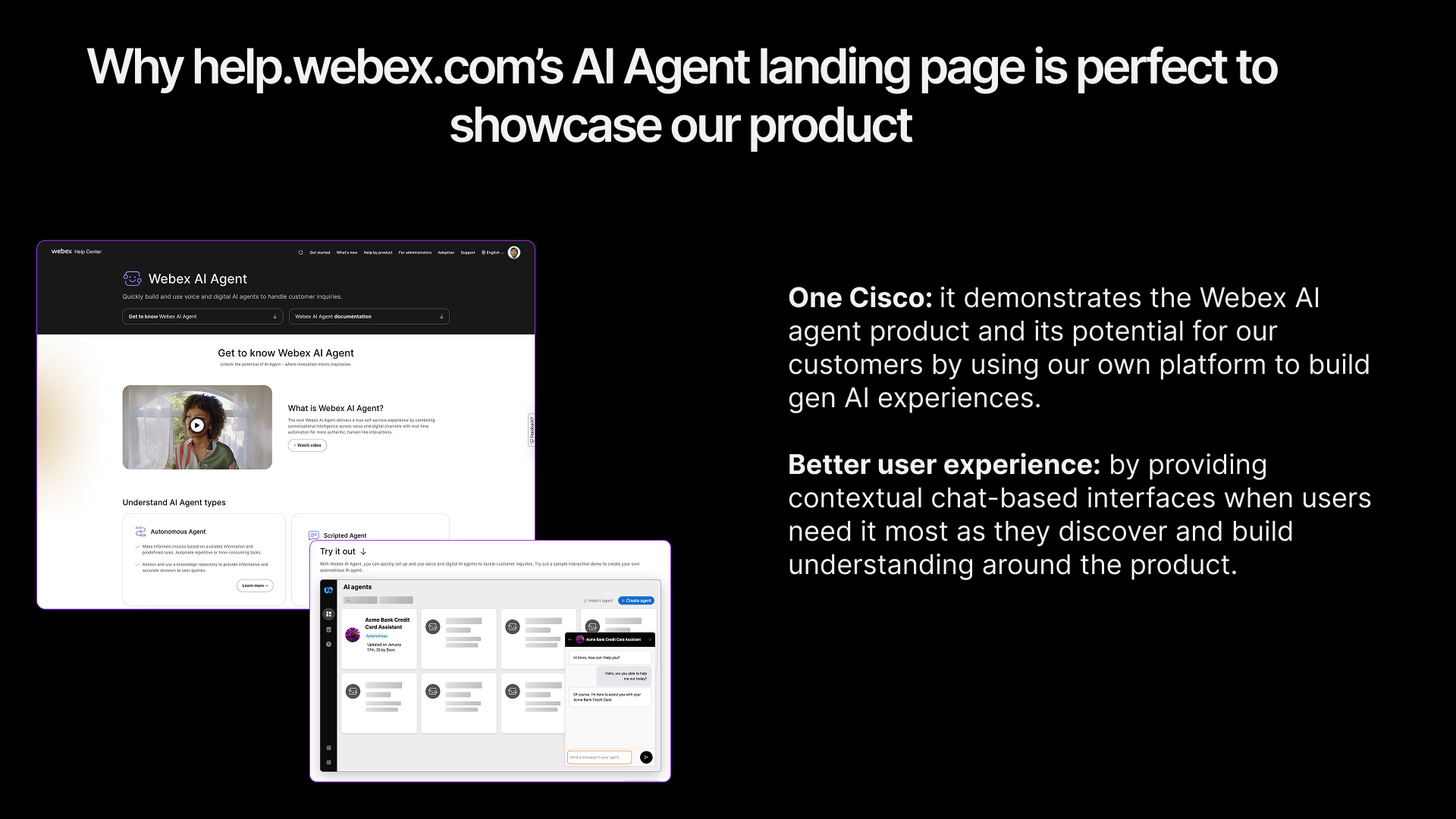
The AI Agent landing page on help.webex.com — the interactive React demo embedded in context alongside video content and documentation links
Storyboard and interaction design
I designed the demo as a guided narrative with a clear arc through four states:
- 01Dashboard view — A simulated AI Agent Studio environment showing existing agent cards (Acme Bank credit card assistant, loan application agent) alongside skeleton loading states that make the UI feel inhabited, not empty.
- 02Agent creation flow — A multi-step modal walks through selecting "Start from scratch," choosing agent type (Autonomous vs. Scripted), and filling out configuration fields. Form validation and button states mirror real product behavior.
- 03Agent configuration — After creation, a toast notification confirms success and the user can explore the configuration view: profile settings, knowledge base, actions, and language tabs.
- 04Live chat preview — A chat widget with canned exchanges demonstrating realistic use cases (spending patterns, rewards balance, payment dates), then free-form input. Responses use the same markdown rendering a real LLM-powered agent would produce, with a deliberate 3-second delay to simulate processing time.
The project moved through distinct fidelity stages — rough wireframe sketches, a polished Figma storyboard, then working code in the browser — with stakeholder feedback at each step. Early iterations were delivered via the CMS for review, which meant stakeholders could interact with the actual experience rather than commenting on static frames.
Part 2 — The live AI chat
The interactive demo solved the teaching problem — but it didn't address the VP's core criticism. Nothing on the page showed meaningful generative responses. That was the second gap: not just explaining what an AI agent does, but putting a working one in front of people.
Using Webex Connect as the AI backend
Rather than building a custom LLM integration from scratch, I used Webex AI Agent Studio — the same product the page was documenting — as the backend. User prompts from the chat widget are relayed to Webex Connect via JWT-authenticated AWS Lambda serverless function calls. Webex Connect handles the AI Agent flow (Configure Webhook → AI Agent node → HTTP Request) and returns the generative response.
This created a recursive quality: the help center page about AI Agent Studio was powered by AI Agent Studio. The demo wasn't a simulation anymore — it was the product, running live.
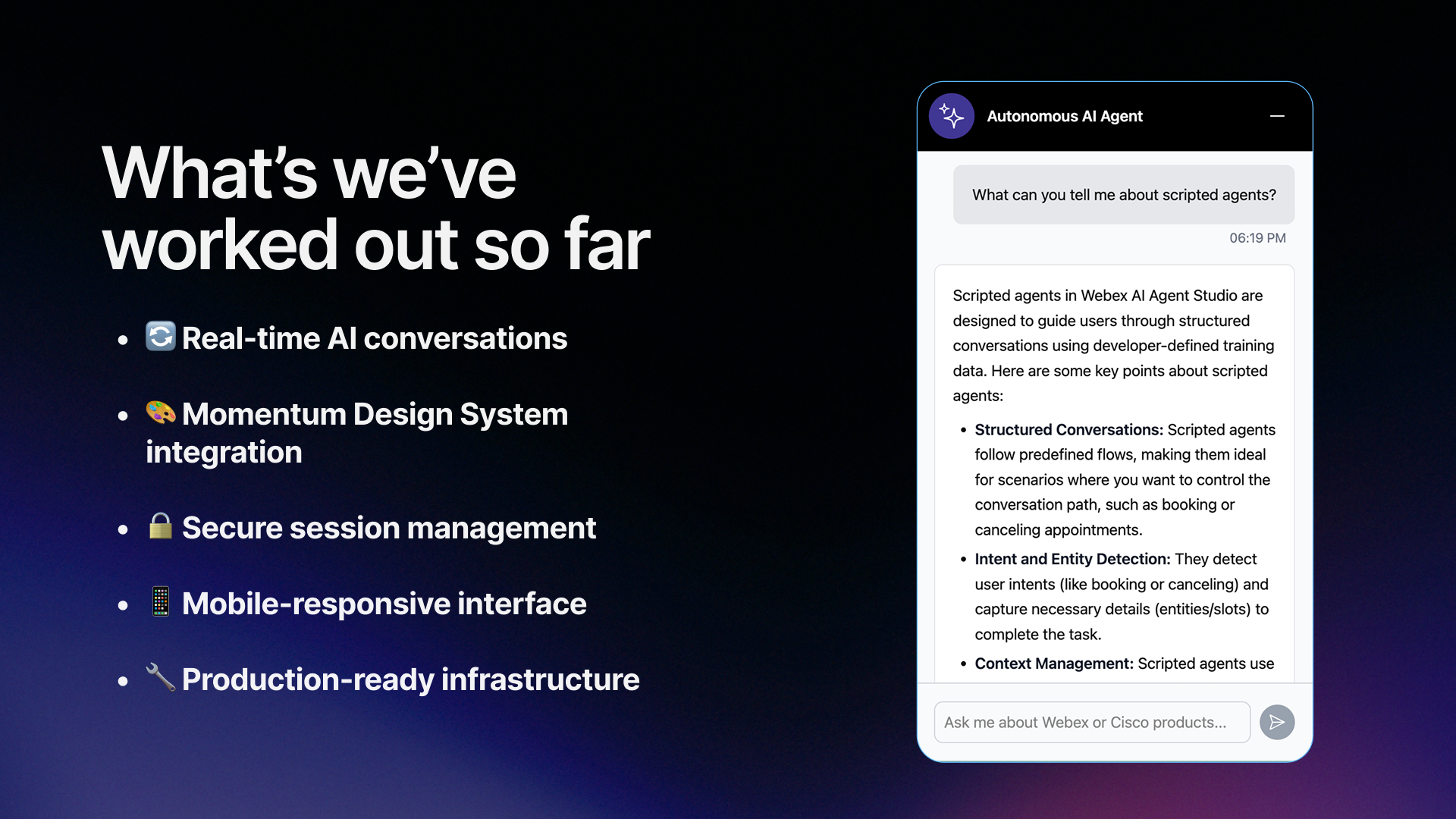
The live AI chat in action — a real generative response from the Webex Connect-powered agent, rendered with markdown formatting
Knowledge base and prompt tuning
I manually curated the agent's knowledge base from product documentation, scoping it to the AI Agent page content so responses would be relevant and grounded. A meaningful chunk of the work was iterative prompt engineering — refining system prompts to produce responses that were accurate, well-formatted (markdown with bold, lists, blockquotes), and tonally appropriate for a help center context.
Two frontend variants
I built two distinct chat UI variants to explore different product positioning:
- Autonomous AI Agent widget — styled to match the AI Agent Studio preview interface, with Webex AI Agent branding. Native to the product page.
- Cisco AI Assistant styled frontend — a second variant exploring how the same backend could power a differently branded experience. This one points the same direction as the "singular assistant" principle from the agentic search work: one recognizable assistant identity that product-specific surfaces like this could eventually converge into.
Both were built with Momentum Design System components for consistent styling, and both supported markdown rendering, mobile-responsive layout, loading states, and session isolation for demos.
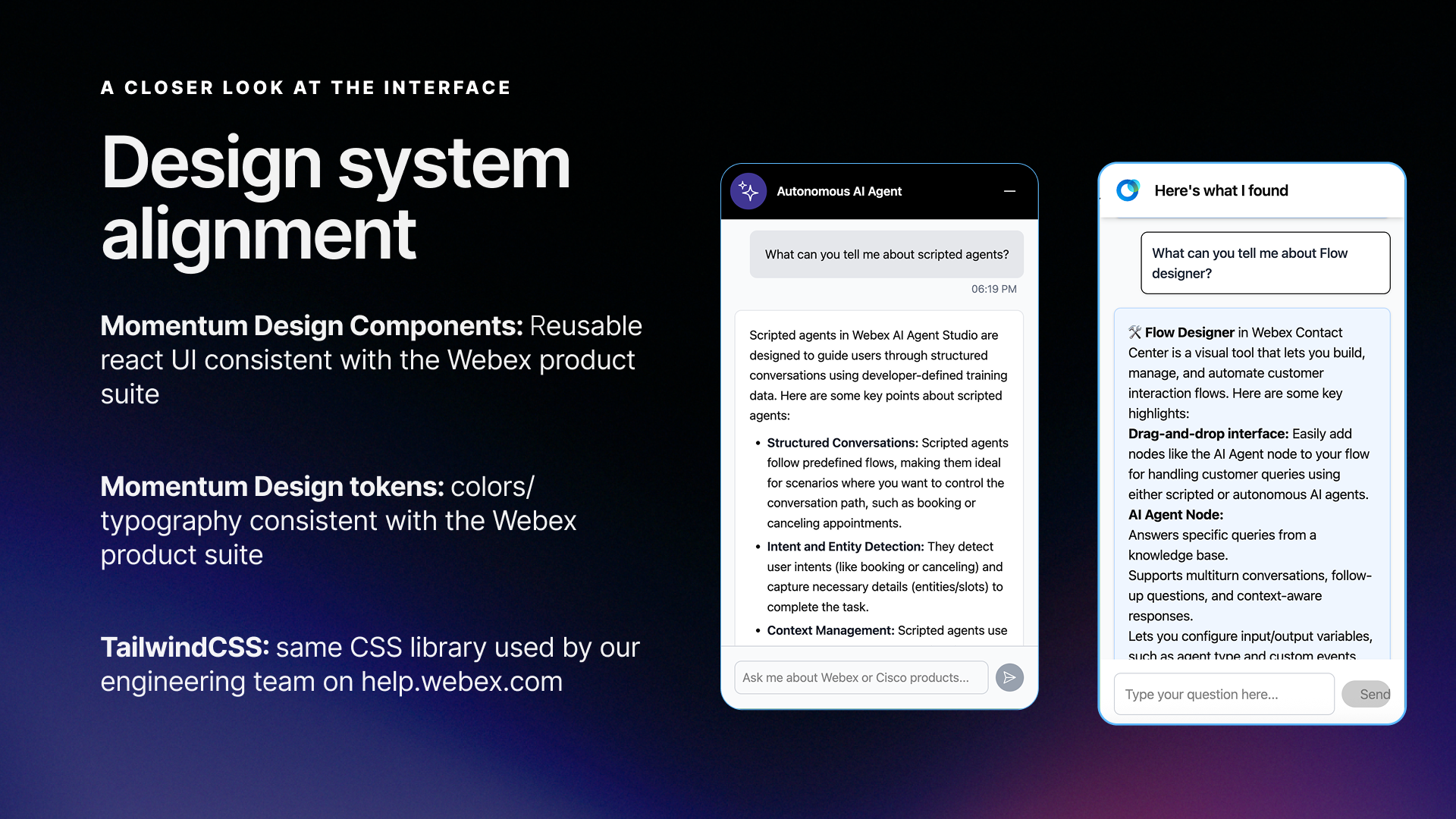
The two frontend variants — same Webex Connect backend, different UI treatments. Left: Autonomous AI Agent widget. Right: Cisco AI Assistant-branded experience.
Intentional constraints as design decisions
- No sign-in requirement. If the widget needed to be accessible to all help center visitors — not just authenticated Cisco customers — it couldn't require login. An intentional accessibility choice.
- Unique chat sessions per page request. Without account-based authentication, each page load starts a fresh session. JWT tokens expire after one hour. This kept the architecture simple and stateless.
- Demo environment first. The live URL was deployed for internal feedback collection, scoped to the AI Agent page knowledge base. Production rollout required broader stakeholder alignment.
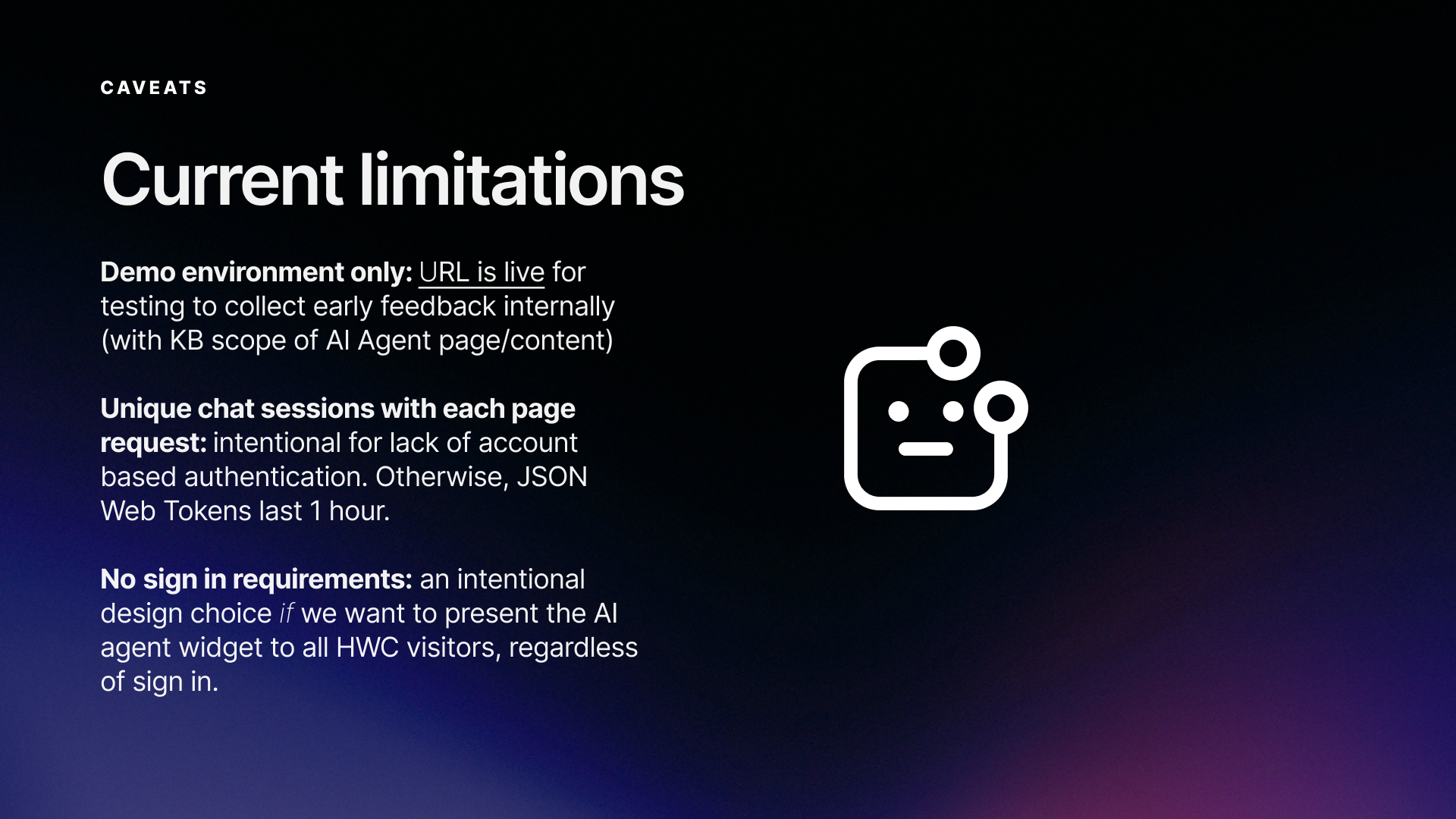
Constraints framed as deliberate design decisions, not shortcomings
The Build
Tech stack — interactive demo
- React 18 with Vite for fast builds and hot reloading during development
- Momentum Design System — Cisco's component library provided the same UI primitives the product uses:
Appheader,SideNavigation,Avatar,Button,Tab, and more - TailwindCSS for layout composition and fine-grained styling on top of MDS defaults — the same CSS library used by the help.webex.com engineering team
- Lottie for complex motion graphics
- react-markdown for rendering agent chat responses with proper formatting
Tech stack — live AI chat
- Webex Connect + AI Agent Studio as the LLM backend (the product demonstrating itself)
- AWS Lambda for serverless relay between the frontend and Webex Connect
- JWT authentication for secure API communication (1-hour token expiry)
- React + Momentum Design System for both chat widget frontends
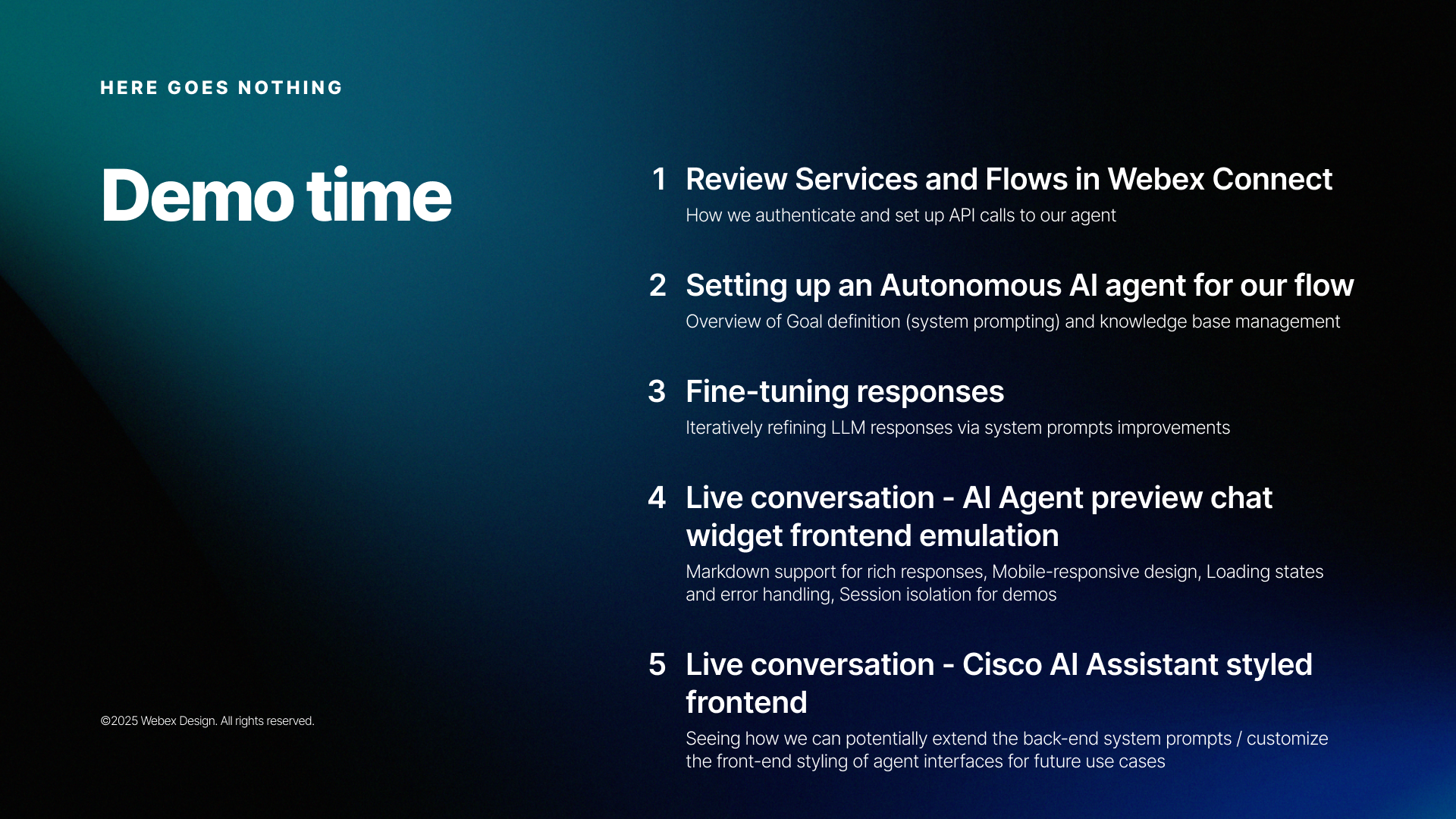
Architecture
User prompts travel from the React chat widget → JWT-authenticated AWS Lambda → Webex Connect (Configure Webhook → AI Agent → HTTP Request) → response streamed back to the frontend. The architecture is entirely serverless on the relay layer, with Webex Connect handling all agent state, knowledge base lookups, and LLM orchestration.
The demo and live chat widget are embedded via iframe with static assets hosted on the team's CMS, functioning as a CDN. This let me ship and iterate independently — no engineering team dependencies, no deployment pipeline beyond a file upload. A longer-term proposal (raised with the backend team) was to fold the relay into existing HWC backend services to reduce AWS Lambda costs at production scale.
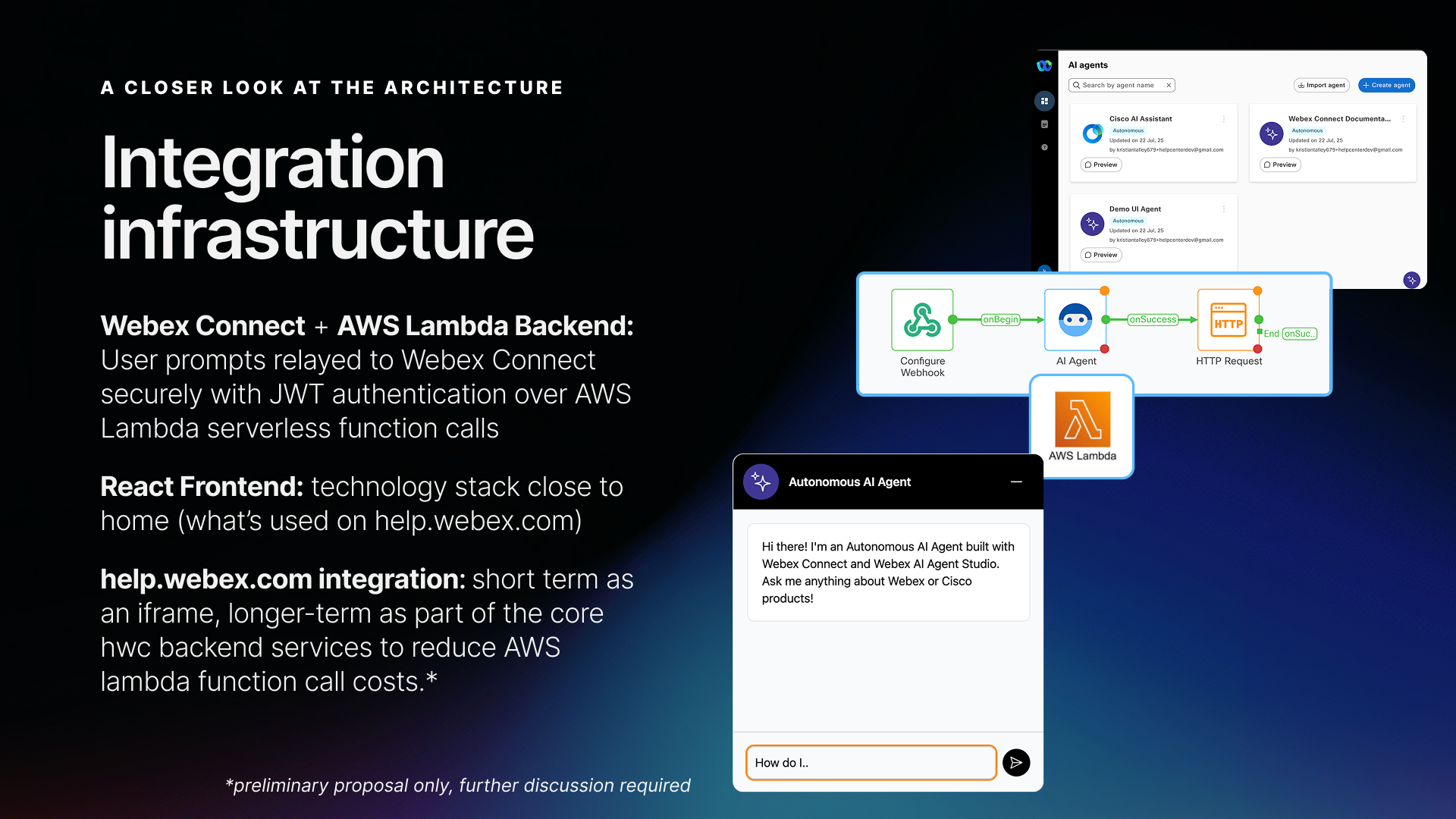
The full integration stack: AI Agent Studio backend → Webex Connect flow → AWS Lambda relay → React chat widget embedded on help.webex.com
Architecture decisions
No routing library. The demo uses simple string-based view state (grid, create, agent, acmeAgent, loanAgent) with conditional rendering. URL-based routing in an embedded iframe experience adds complexity without value.
Local component state only. React hooks handle all UI state. No Redux, no context providers beyond theming. The application is a bounded instructional experience, not a data-driven app — the state management should reflect that simplicity.
Canned interactions with a free-form fallback. The demo chat cycles through 3 pre-scripted exchanges that demonstrate key use cases, then switches to accepting any input with a helpful generic response. This gives the demo a structured narrative while letting curious users keep exploring. The live AI chat, by contrast, sends every message to Webex Connect for a real generative response.
Design system integration
Using Momentum Design System components directly — rather than recreating the visual appearance with custom HTML/CSS — meant both the demo and the live chat look and behave identically to the real product. Hover states, focus rings, typography scales, color tokens, and spacing all come from the same source of truth. When product UI evolved, the components could evolve with it.
The Tailwind layer handled everything MDS doesn't opine on: grid layouts for the dashboard cards, the background grid pattern, animation keyframes for the pulsing CTA, and responsive breakpoint behavior.
Outcomes
- Interactive demo shipped live on help.webex.com — on the AI Agent landing page alongside video content, documentation links, and the pre-sales demo request CTA
- Live AI chat proved the concept — a direct answer to the VP feedback: meaningful generative responses, powered by the same platform the page was documenting. To be exact about status: validated in the internal demo environment; production rollout requires broader stakeholder alignment
- Zero engineering dependencies for deployment and iteration — updates ship through the CMS like any other content
- Established a reusable pattern — React app + production design system components + CMS-hosted static assets became the template for future interactive instructional content: Whiteboard Hub demo, Smart Lighting demo, What's New highlight carousel
- And the verdict? The VP feedback never came back around for a formal second pass — but the page has stayed live and remains well received and engaged with, which is its own answer to "unconvincing"
- Opened a concrete roadmap for future investigation: domain-specific agents for other landing pages ("chat with a document"), knowledge base management automations via the Webex Connect API, voice support integration, and LLM tuning/analytics access for authoring team members
Reflection
The biggest lesson was about the false economy of "simpler" approaches. My instinct to save time with interactive overlays on static images would have actually cost more — both in implementation complexity and in the quality of the final experience. Building with real components from the design system I already knew turned out to be the faster path and the better product.
The second lesson was about knowing when to keep going. The interactive demo answered the brief — but the VP feedback was really about the product not being proven, not just not being explained. Connecting the help center to a live AI agent backend turned the page into a showcase instead of just a document. Sometimes the best way to explain a product is to let people use it.